How it works
Live in the first weeks
There is no implementation project. A strategy session, five days of set-up you can see in the workspace, and a first campaign in which nothing sends without your approval.
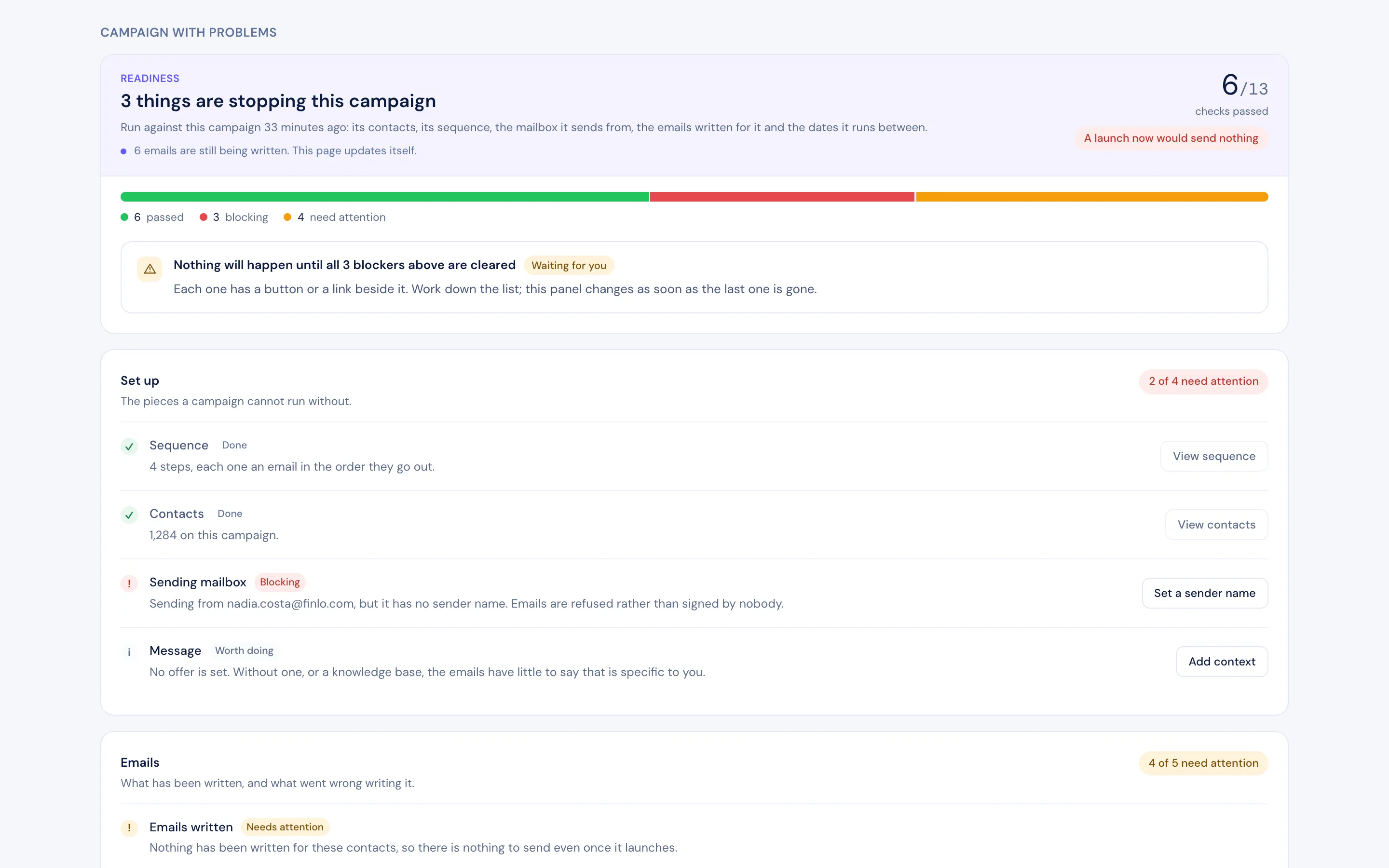 Readiness check
Set-up in the workspace
What you see, day by day
Set-up is visible in the workspace as it happens. These are the screens, in the order you meet them.
Day 2
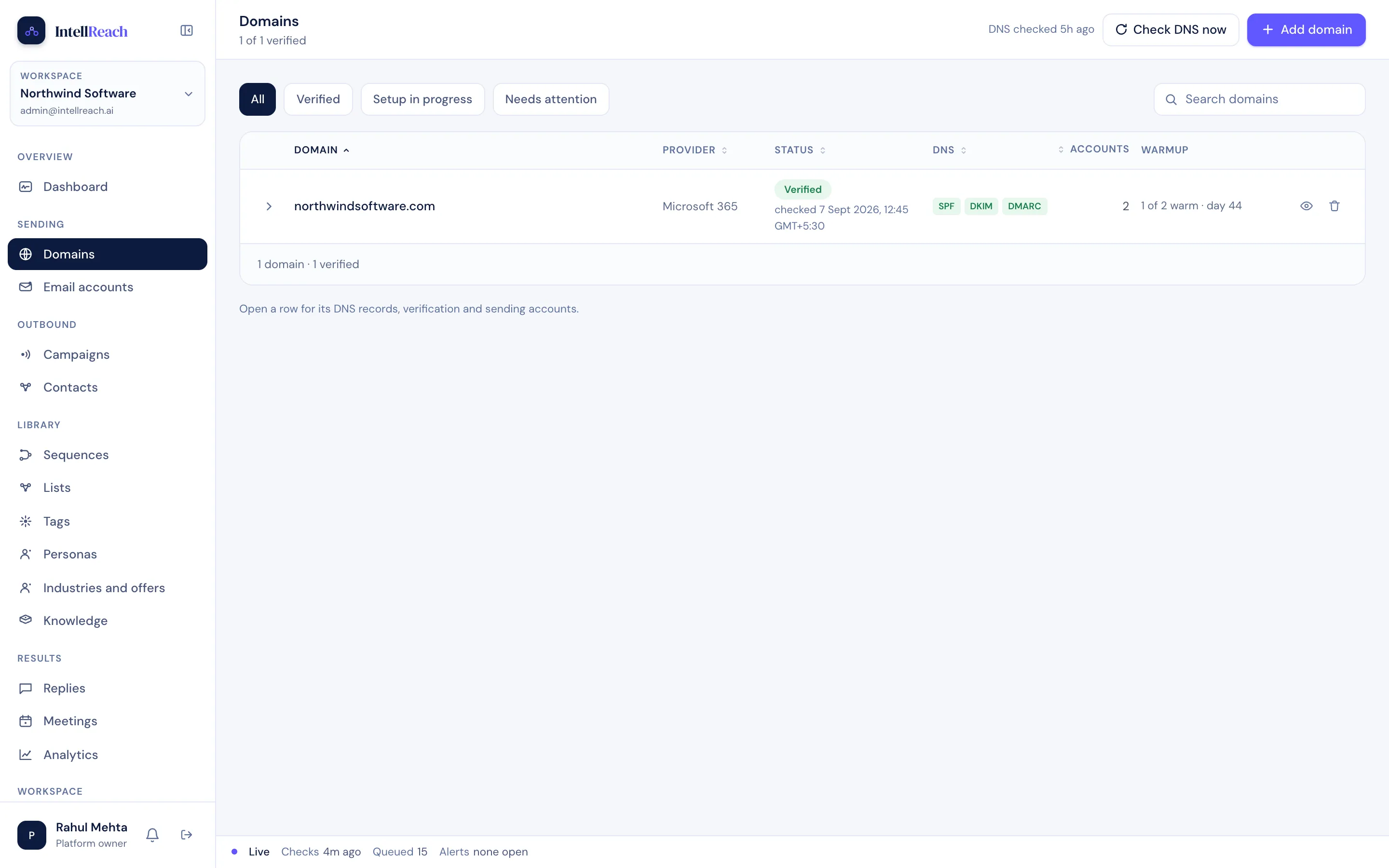
Mailboxes connected, DNS verified, warm-up started
SPF, DKIM and DMARC are checked and shown per domain. A mailbox that is too early to send says so and waits.
 Verified · SPF DKIM DMARC
Day 3
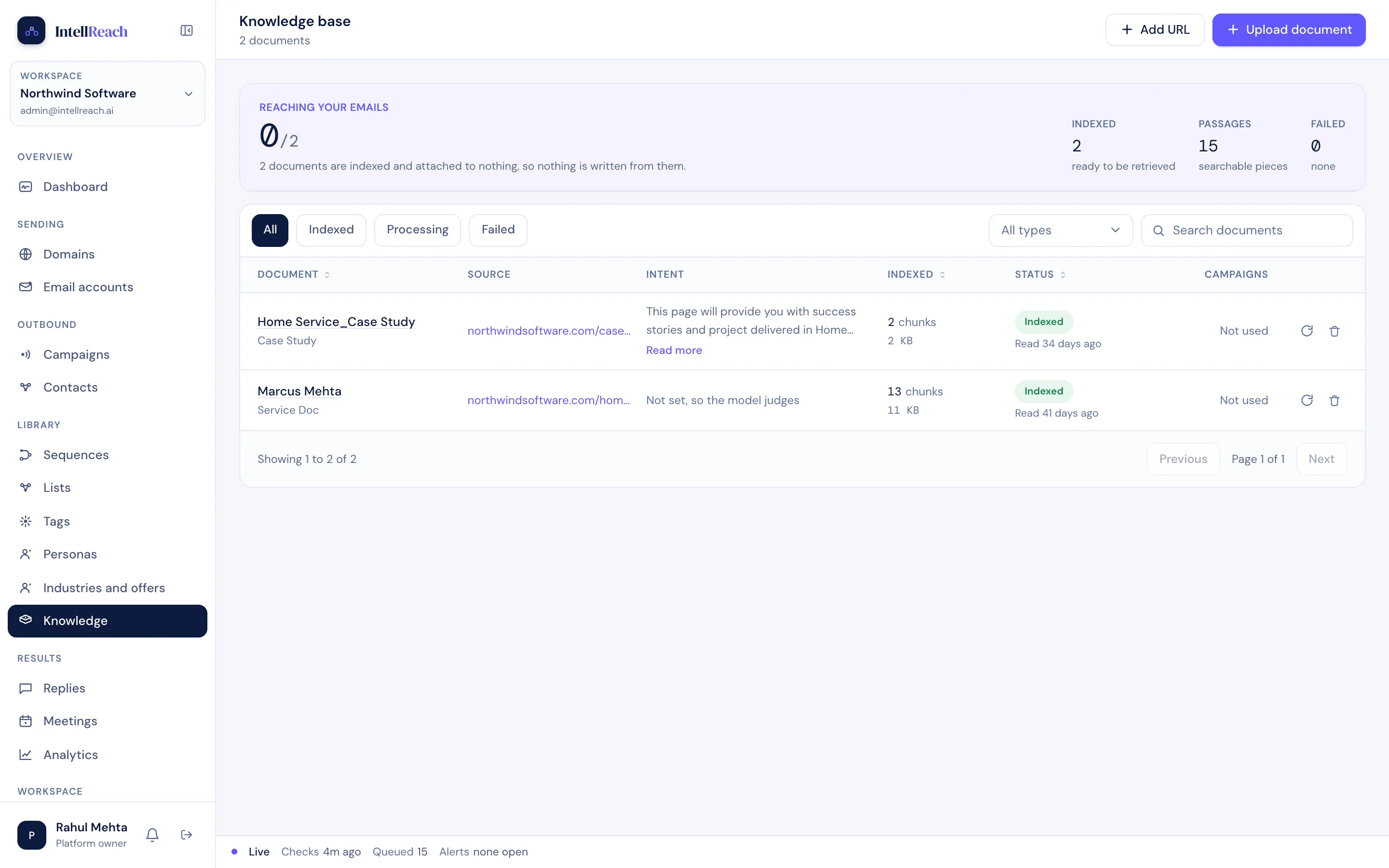
Knowledge base built from what you already have
Case studies, service pages, a pricing sheet. Each is read into passages and tagged with when to use it, so a generated email can cite it.
 Indexed
Day 5
The readiness check will not launch a campaign that would send nothing
Sequence, contacts, sending mailbox, written emails. Each blocker has the button that fixes it beside it. Nothing launches until the list is clear.
Readiness checkDay 5
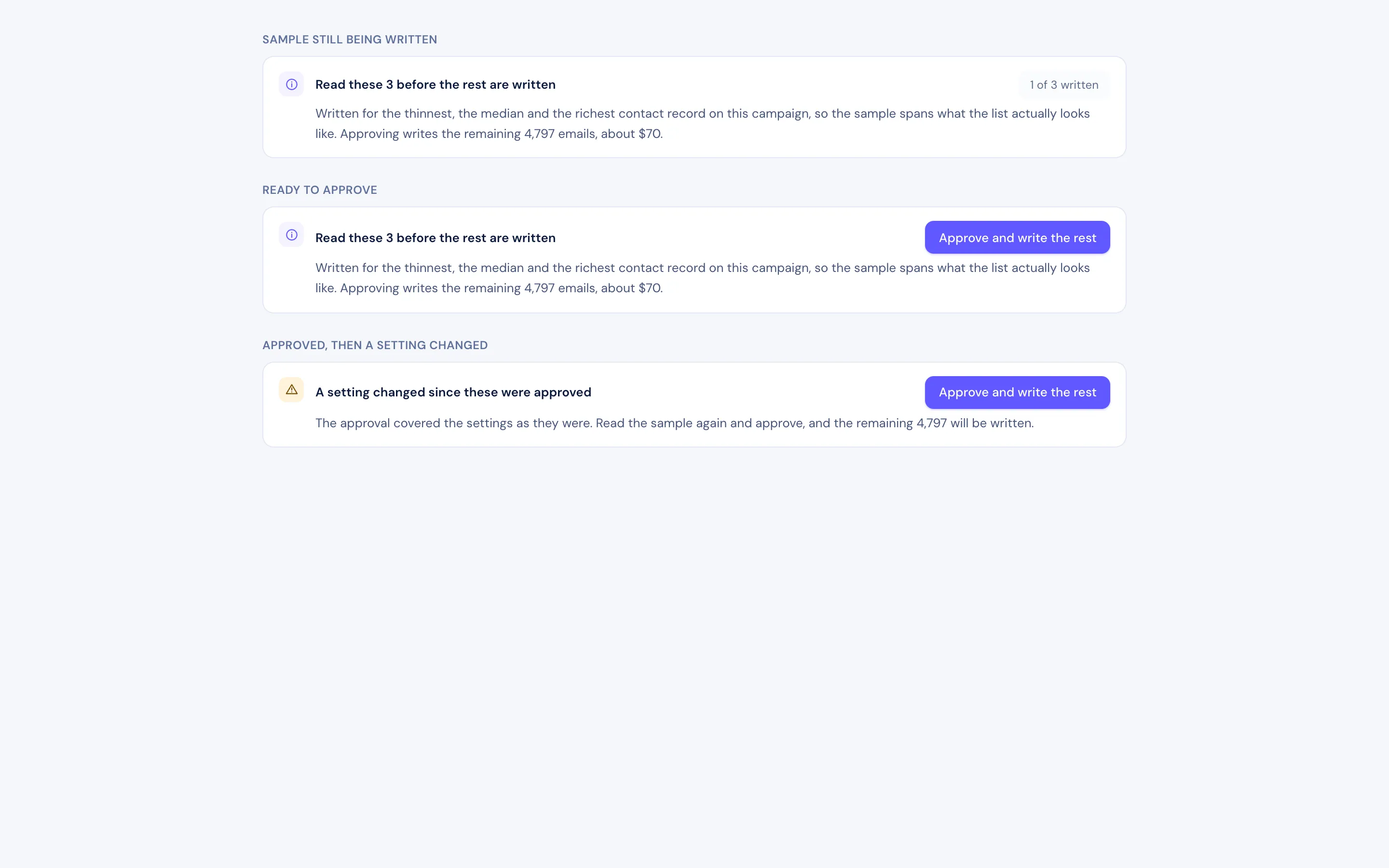
A sample of three drafts, approved before the rest are written
Written for the thinnest, the median and the richest contact record on the campaign, so the sample spans the whole list, not its best rows. Approve, and the rest are written.
 Approval Mode
Week 3
Meetings on the calendar, in your timezone
Booked by a person on your side, shown here with the next one named. Reminders and confirmations follow.
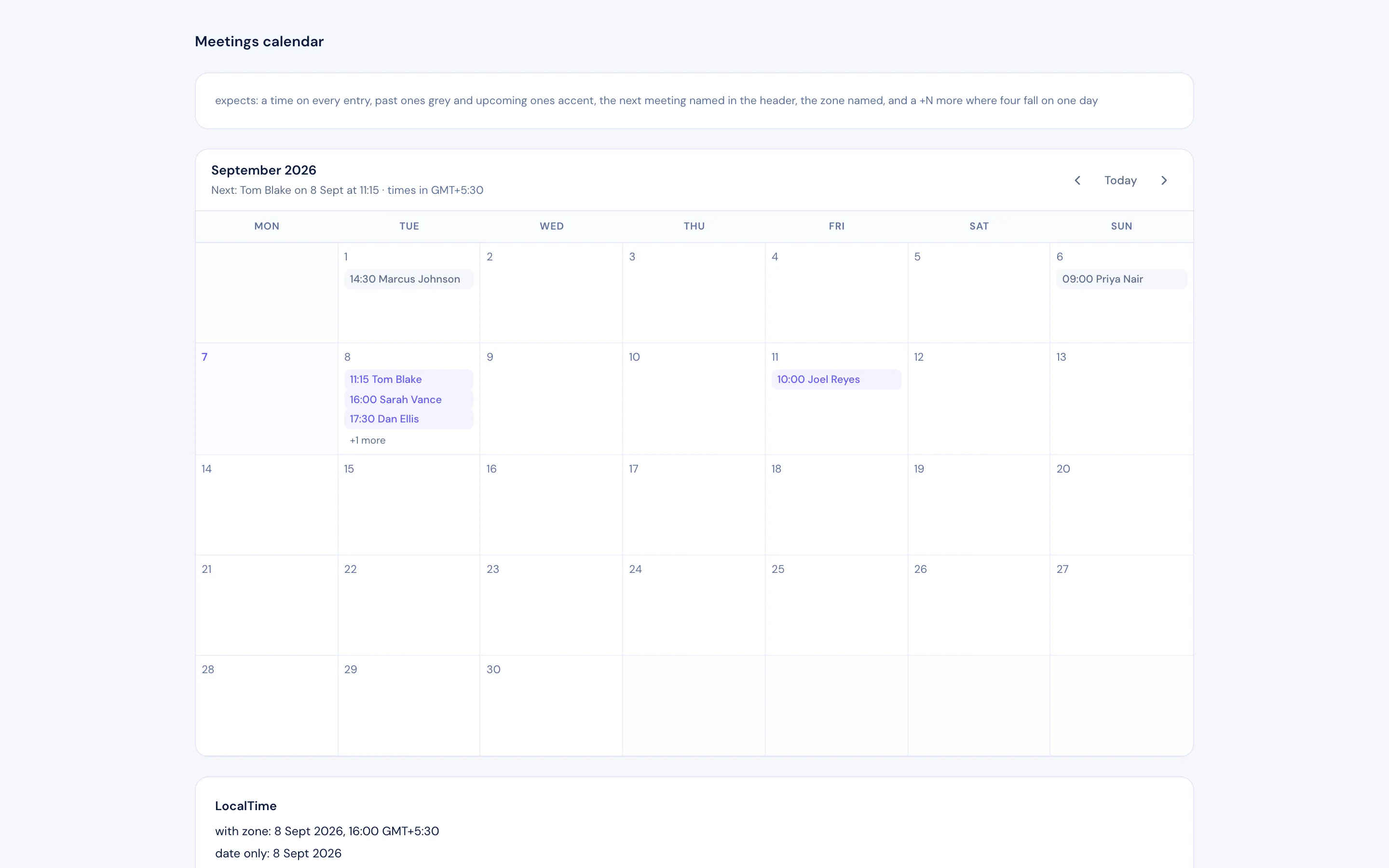 Next meeting named
Daily
What runs every working day
- 01
Finds and prioritises the right accounts
Accounts chosen against your ICP and trigger signals. Decision-makers and influencers identified and validated before anything is sent.
- 02
Researches and writes for each person
Company context, role and recent triggers, turned into a message grounded in your own knowledge base, with sources shown.
- 03
Engages and follows up
Email first, LinkedIn and multichannel where it helps. Structured follow-up with tested variants.
- 04
Identifies interest and hands over
Replies read and classified. Interested buyers routed to a named person on your team with the full thread.
Getting started
The first weeks
Strategy session
ICP, offer, guardrails: who never to contact, when a human steps in, whether to start in Approval Mode.
Workspace set-up
Mailboxes connected and warmed, knowledge base loaded, first list validated and de-duplicated.
First campaign, in Approval Mode
Every message waits for your click. You see the reasoning and sources and adjust the tone.
Continuous outbound with review
Sequences run daily. Interest lands with a named owner. We review the numbers together every week.
FAQ
Questions we get asked
How much of our time does it take?
Most of it is in the first two weeks: the strategy session, sharing documents and approving early messages. After that, a weekly review and the conversations themselves.
What do we need to provide?
Your ICP and offer, mailboxes on your domain, and the material your best rep would use: case studies, positioning, objections.
Start with a strategy session
Forty-five minutes with an outbound specialist. Bring your closed-won list and last quarter’s outbound. We will tell you which accounts we would target first, what the first sequence would say, and whether we think IntellReach is a fit. If it is not, we will say so.